Identification with Mitek

There are times when we'll need to confirm your identity, such as when you open an account, and for fraud prevention checks. We've partnered with Mitek so we can check who you are safely and securely.

Why Mitek?

Mitek is a quick way for you to validate who you are. They use digital footprints, ID document authentications and facial biometrics. We need to share your contact details with Mitek and they'll share your identity verification information with us. They delete all of this information when the check is completed.

If you're unable to complete your check, please call us on 03450 505 075. We're open Mon-Fri 8am-6pm, Sat 9am-5pm and are closed Sundays and bank holidays.
Step 1

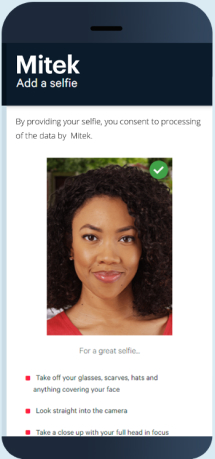
Take a selfie

First, you need to take a “likeness” selfie. All the instructions will be on your screen. Make sure the computer or mobile device you're using has a camera.

Step 2

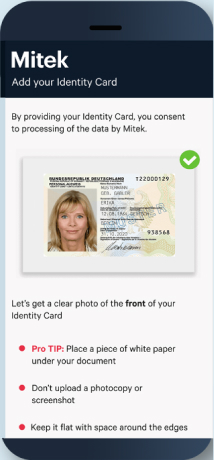
Photo ID

We also need an image of your photo identification. This can include:

  • UK, EU, EEA or Swiss Passport
  • Full or provisional UK driving licence 
  • EU, EEA or Swiss Member State Identity Card

Step 3

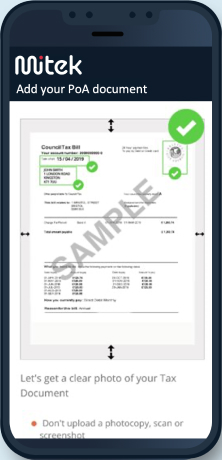
Proof of address

Finally, take a picture of proof of your address. This can include:

  • Full or provisional UK driving licence1. This can be a photocard or paper copy.
  • Benefits agency letter confirming rights to state benefits
  • Solicitor written confirmation of house move
  • HMRC tax notification. This can't be a P45 or P60 and it must be dated within the last 12 months.
  • Bank or building society statement. This must include the sort code and be dated within the last 3 months.
  • Mortgage statement dated within the last 12 months
  • UK Council Tax bill dated within the last 12 months
  • Utility bill or prepayment certificate dated within the last 3 months

1If you’ve used your driving licence as Photo ID, you won’t be able to use it as a proof of address.